


Flipbooks inspire your visitors to explore your Shopify store. It provides a dynamic way to showcase product catalogs, fashion lookbooks, brochures, and other marketing materials. Flipbook can make your Shopify store more professional. Visitors can easily zoom in, zoom out, and even rotate images to get a better look at your products. But with so many apps, how do you choose the right one? It may seem a little confusing. Don’t worry, we are here to help.
We tested some of the best apps that create these awesome flipbooks. Our goal is to help you pick an app that makes shopping fun and easy. An excellent Shopify flipbook app helps your business grow bigger and stronger. Let’s find the perfect flipbook app for your Shopify store.
What is Shopify Flipbook & Why Should You Use It?
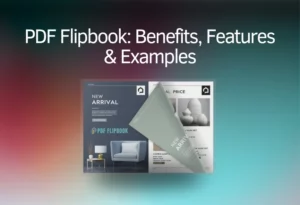
A Shopify flipbook is like a digital book or magazine for your online store. This helps readers flip the pages of the book and interact with its content. This is a wonderful way to show off your products, share stories or give information in a fun way. Let’s find out why you should use flipbooks for your Shopify store:
- Comprehensive View
- Modern Product Presentation
- Marketing Excellence
- Clear Product Information
- Unique Features
- Attract More Visitors
- Easy to Update
Key Features to Look For
When choosing a flipbook app for your Shopify store, keep these features in mind:
- PDF Conversion: Does it easily convert your existing PDFs?
- Interactivity: Can you add links, videos, or other rich media?
- Customization: Does it allow you to match your brand’s look and feel?
- Responsiveness: Will it look good on phones and tablets?
- Embedding Options: Can you embed it on product pages, blog posts, or dedicated pages?
- Customer Support: Is reliable support available if you run into issues?
- Pricing: Does it fit your budget and offer a free trial or plan?
How to Find & Use the Best Flipbook App?
An ideal flipbook app should be easy to use and accessible on every device. We have been working with several flipbook apps and found that TNC PDF FlipBook is one of the best and convenient apps for Shopify stores. You can turn all your PDFs and images into a flipbook with this app. You will find many plans for this app.

Choose your preferred plan and sign in, then you will get your dashboard. Your existing PDF links will be automatically converted into flipbooks. You can also turn images into flipbooks. Then you will get an embed code. You will find many customization options to make your Shopify flipbook even better.
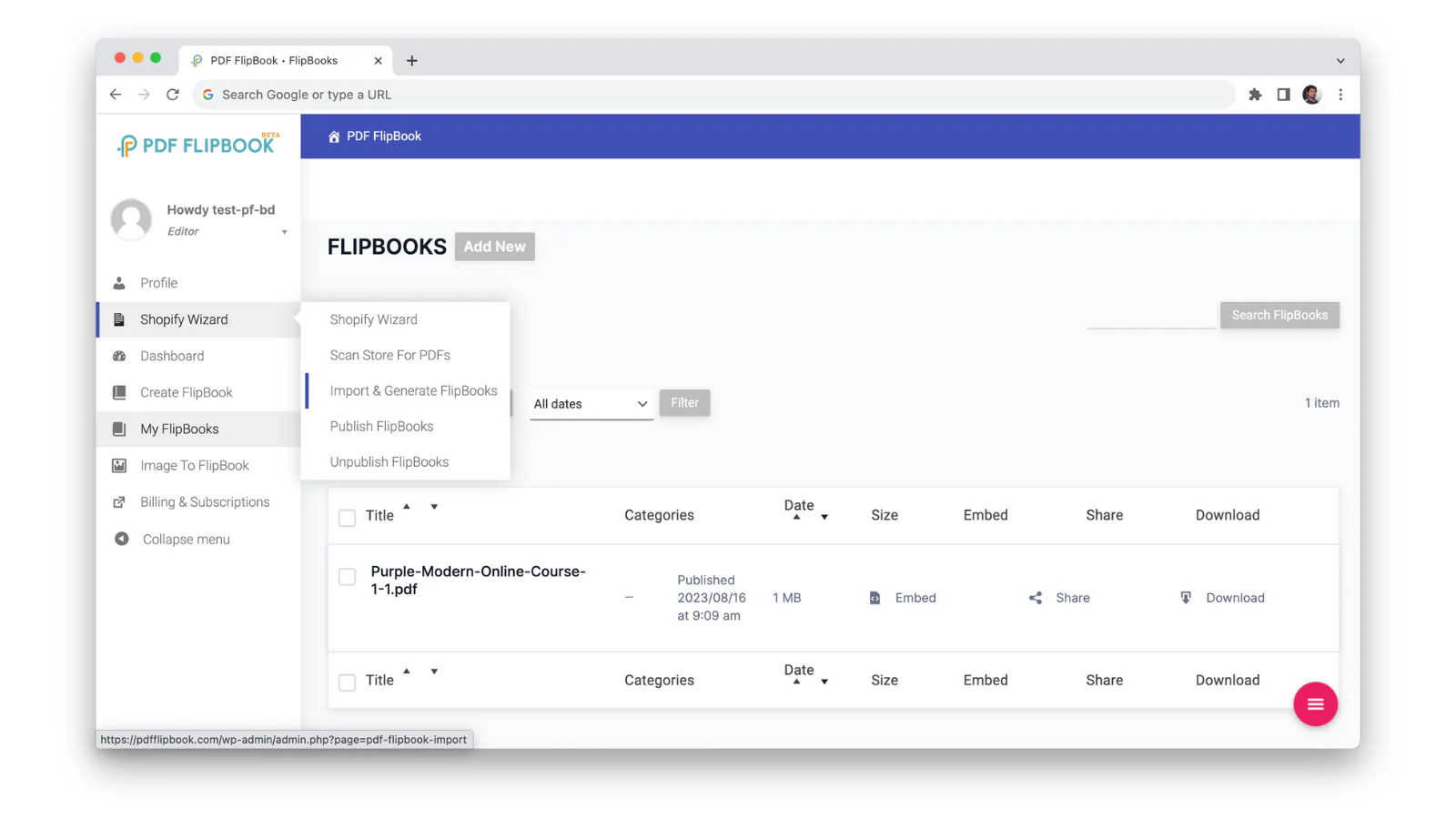
Customization Flexibility
TNC PDF FlipBook ensures many customization options for your flipbook. You get primary, secondary, and text colors. You will get six themes and three icon sizes to customize your flipbook. You can also create custom background images. Its responsive design easily adapts to different screen sizes and resolutions.
TNC PDF FlipBook supports a variety of PDF formats, including password-protected documents. Users can complete forms and follow links directly within the flipbook. You can also embed or show flipbooks as a pop-up or link.
You will find toolbar options to control which tools your viewers see. Show or hide features like zoom, print, download, share, and search. TNC PDF Flipbook gives you amazing control over how your flipbooks look and feel.
Scrolling Variation of This Flipbook App
You can display your flipbook in a variety of ways. TNC PDF FlipBook comes with 3 different scrolling modes. Let’s explore now:
- FlipBook Mode: In this mode, you will get a digital reading experience for reading online. It will feel like you are actually turning the pages of a real book.

- Vertical Scrolling: Some people like to scroll down a page instead of flipping. This option allows your viewers to slide top to bottom your content easily. It’s a simple way for them to see all your information quickly.
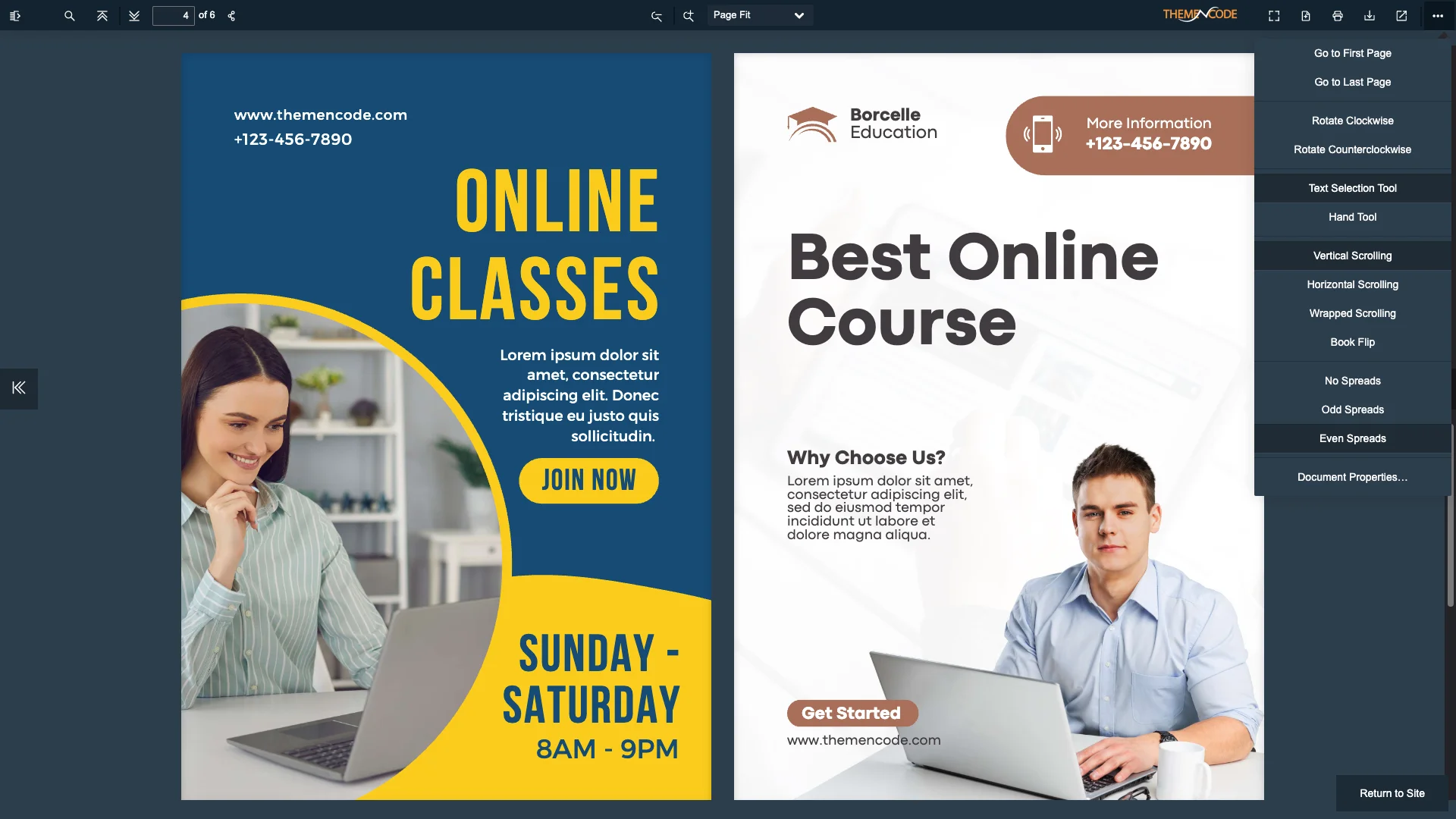
- Horizontal Scrolling: This option lets visitors scroll your content from left to right. It’s a new way to see your PDF. This is handy if you want to look at two pages side-by-side easily.

How to Perfectly Design Your Shopify Flipbook?
Good design makes a big difference. Use these simple tips to make your Shopify flipbooks look amazing and work even better:
Keep It Clean: Don’t write too much on one page. Leave space around the pictures and text. This makes everything easier to read.
Use Good Images: Always use clear, bright images of your products. Blurry images are cheap to look at. They won’t make people want to buy.
Organize Pages Neatly: Arrange your pages in a smart order that makes sense. Think about how you would flip through a real magazine. Always keep similar products together.
Clear Calls to Action: What do you want people to do next? Maybe “Shop Now,” “Learn More,” or “Add to Cart”? Make these buttons or links easy to see and click.
Match Your Brand: Use the same colors, fonts, and style that you use on the rest of your Shopify store. Your flipbook should feel like a natural part of your brand.
Test on Different Devices: Always check how your flipbook looks on a computer, tablet, and phone. Make sure everything looks good and clicks easily on every single device.
Conclusion
A good Shopify flipbook app really makes your online store better. It changes regular product displays into an exciting way. Whether you want to display a product catalog, brochure, or document, Flipbook helps your store sell more products. It makes a big difference in how customers view your brand and how much you sell.
Now you know about the best apps and how to make your flipbooks look amazing. So, pick the app that fits your needs best. Use our easy design tips to make your Shopify flipbook even better. So, start creating attractive flipbooks for your Shopify store today.
Apart from this, If you want to read more blogs, visit here.







0 Comments