


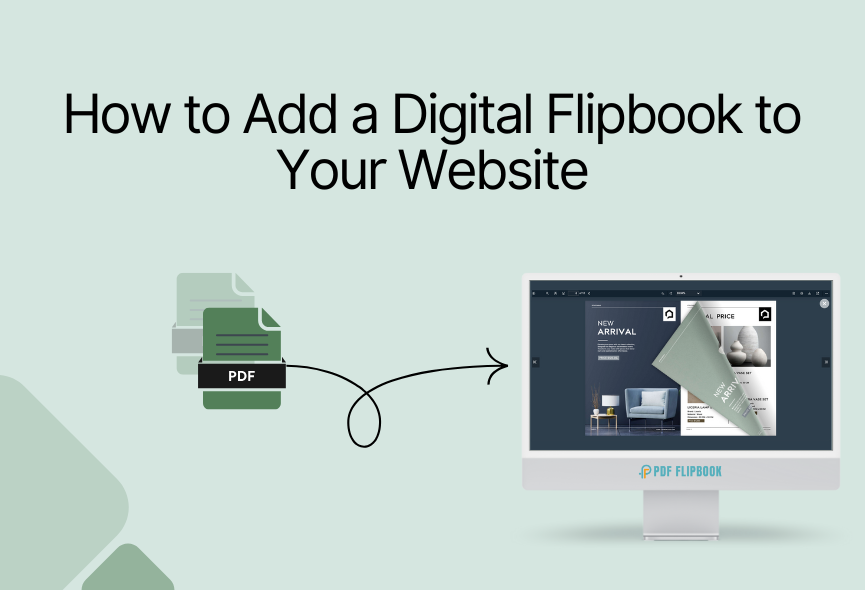
Create awesome flipbooks online for your website for free. It’s time to convert your regular PDF into an online flipbook that people want to see. We are talking about flipping your website’s PDF file like a real book. And guess what? You can do it absolutely free. There are no complications and no hidden fees. So, how do you make this magic happen? It’s easier than you think. You can create flipbooks from your e-books, presentations, catalogs, or even your artwork portfolio.
You will find some online tools to do this. I will show you a tool that is more convenient and effective. PDF FlipBook is the perfect tool for you to create flipbooks quickly. This is an online SaaS website for creating flipbooks. This website allows anyone to create interactive flipbooks without spending money, even if you are not a tech expert. This tool makes it easy to show off your stuff professionally. So, get ready to create a flipbook online for free.
Easy Steps to Create Your Online Flipbook For Free
Creating a free flipbook is very easy with PDF FlipBook. Just follow these simple steps to turn your PDF into something special:
- Go to PDF FlipBook: Open your browser and go to the pdfflipbook.com website. It’s easy to understand.

- Sign Up & Log In: First, register on the website. After signing up, log in to your account.

- Access Dashboard: After you log in, you will access the main dashboard.

- Start Creating Flipbooks: You will see “Create Flipbook” In your dashboard. Click on it.
- Add Title: Add a title for your flipbook.
- Upload Your PDF: See the button that says “PDF File”? Click on it. Pick the PDF file from your computer that you want to make into a flipbook. PDF FlipBook will do the rest.

- Settings: You will get toolbar elements for your flipbook settings. You can choose a theme, logo, favicon, custom color, and many more for your flipbook.
- Publish Your Flipbook: After completing all these steps, add a feature image and click Publish.
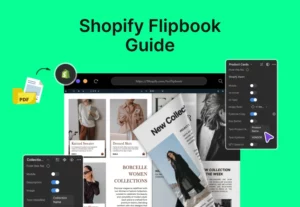
The same flipbook tool is also available for Shopify users as well. Click here to learn more about it.
How to Share Your Flipbook Online?
PDF FlipBook generates an embed code after you create your flipbook. You will see the “My Flipbooks” tab. All your flipbooks are listed there. Select and open the flipbook you created. You need to click on COPY IFRAME CODE TO CLIPBOARD, and the embed link will be copied. After getting the code, you can paste it anywhere, and your flipbook will be accessible from there. So it’s so easy to work with.

Why Use PDF FlipBook For Your Free Flipbook?
- Completely Free of Charge: You don’t have to pay anything to make great flipbooks. It’s totally free.
- Easy to Use: You don’t need any special skills. It’s designed to be simple for everyone.
- No Software Installation Hassle: You do everything online. Just upload your PDF and start creating.
- Optimized for All Devices: Your flipbooks will look good and work perfectly on any device. Including desktops, tablets, and smartphones.
- Keeps People Interested: The page-turning effect makes your content more fun to look at. Convert inactive viewers into active participants.
- Easy to Share: It’s simple to share your flipbooks with others and put them on your website.
What Do You Get With This Free Tool?
You can easily make and share your flipbooks with many helpful features. It gives you short links to share or lets you put the flipbook right onto websites. You can pick different backgrounds and looks, and you decide how people can use your flipbook. It also gives you page-flipping sounds and different ways to see the pages.
You can zoom in, use bookmarks, and find even more helpful things. You can share your flipbook on social media and pick from more than 100 languages for people to see it in. But, with the free plan, you can’t put pictures into the flipbook, and you can’t change or remove their logo. Everything else, though, you can use for free.
Tips For Creating Great Flipbooks:
Start with a Clean PDF: Make sure your original PDF looks clean and organized. This will make your flipbook look better too.
Pick a Simple Background: Choose a background that makes your content easy to read and looks nice. Simple backgrounds often work best.
Make it Short: If your document is long, make a few smaller flipbooks. People like shorter things.
Use Clear Titles: Just like in your PDF, make sure your flipbook has clear titles so people know what they are looking at.
Use Links Carefully: If you can add links, use them to help people. Don’t add too many.
Try it Yourself First: Before you share, look at your flipbook on different devices to make sure it works right.
Don’t Change Too Much: It’s fun to customize, but too many changes can look messy. Simple is often best.
Check Your Words: Make sure your PDF has no spelling or grammar mistakes.
Smart Ways to Use Free Online Flipbooks
- Make Your Website Sticky: Put your brochures and guides right on your site as flipbooks. People stay longer and look around more easily.
- Highlight Your Email: Link to cool flipbooks instead of attaching boring PDFs. Your emails will look better and load faster.
- Create Fun Training: Turn manuals into flipbooks, so that people will learn better.
- Ebooks & Guides: Make reading an interesting journey, not a busy chore.
- Menu Showcase: Restaurant owners can put their menus online for customers to see.
- Catalogs & Brochures: Showcase your products in an interactive way.
- Portfolios: Let your work shine with a professional presentation.
- Magazines & Lookbooks: Make your newsletters or lookbooks feel like real magazines online.
- E-commerce: E-commerce websites can use it to display their product catalog, invoices, and promotional flyers.
- Educational Use: Teachers and students can organize study materials, notes, or projects perfectly.
Conclusion
Don’t let your valuable content get lost. Use the power of online flipbooks to grab people’s attention. Whether you are a content creator, marketer, teacher, or business owner, this guide will help you create a flipbook online for free.
With PDF FlipBook, you can create and customize your flipbook and embed it on websites. Anyone can do it for free from anywhere. You can showcase menus, catalogs, portfolios, brochures, and more in a way that looks professional.



0 Comments