


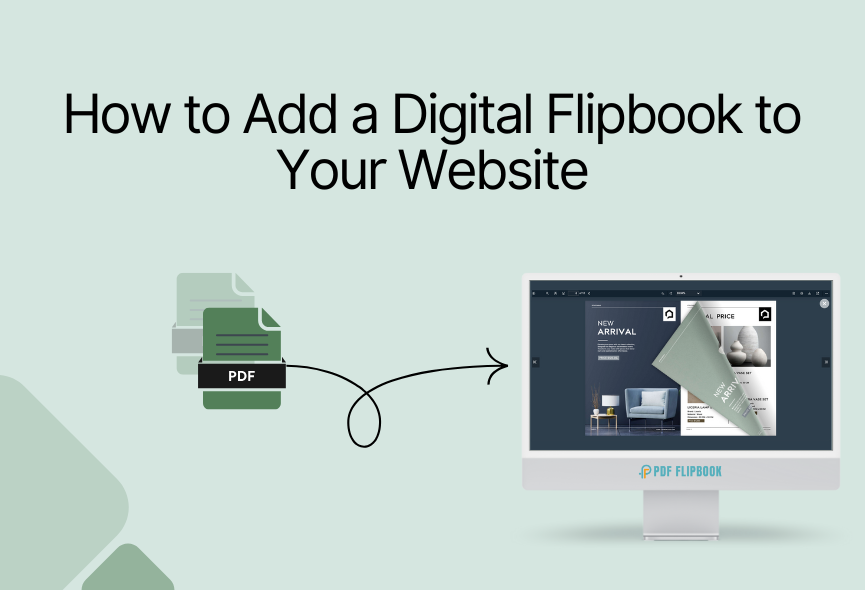
Have you ever wished you could turn your static PDFs or images into something more functional and engaging? With the power of an online flipbook creation platform, you can quickly transform your content into an interactive digital experience that amazes your audience. Creating an online flipbook from images or PDF files is now more accessible and easier than ever.
Whether you’re a marketer, educator, business owner, seasoned designer, or just someone who wants to showcase their work, creating an online flipbook is a great way to highlight your professionalism. You can flip through a digital magazine just like a physical magazine or present a product catalog in a more immersive way with a flipbook.
This guide demonstrates the step-by-step process of creating online flipbooks from PDFs or images. I will cover everything from choosing the right platform to customizing your Flipbook and sharing it with the world. Let’s dive into the details.
Which Platform is Suitable For Online Flipbook Creation?
People now have a concise attention span. So, you need to grab the attention of your audience as soon as possible. Many online platforms offer flipbook creation services. However, choosing the right platform is a difficult task as there are some differences in the features and prices. We have done a lot of research and found that the PDF FlipBook website is the best platform to create online flipbooks.
Creating a flipbook with PDF Flipbook is straightforward, and you can do it quickly. This user-friendly platform allows you to convert PDFs or images into beautiful online flipbooks with just a few clicks. A well-optimized flipbook is essential for several reasons, including the overall success of your flipbook creation goals. Let’s see why you should choose the PDF FlipBook over other flipbook creation platforms.
Why Should You Choose PDF FlipBook?
PDF FlipBook offers several compelling reasons to choose it for your flipbook creation needs:
- Simple Interface: The platform is designed with simplicity in mind, making it easy to navigate, even for those without technical skills.
- Cost-Effective: PDF FlipBook offers affordable pricing plans, making it accessible to users with different budgets.
- Customization Options: You can personalize your flipbooks with various features, including background color, images, logo, favicon, and many interactive toolbar elements.
- Responsive Design: Your flipbooks will look great on any device, ensuring a perfect user experience for your audience.
- Easy to share and embed: Share your flipbooks effortlessly through a unique link or embed them directly on your website.
- Free of limitations: There is no limit to the number of pages in your flipbook, and you don’t need any space. You can simply get an embed link and paste it anywhere to display your flipbook.
- Free Version Available: A free plan is available to test how it works and requires nothing.
- Customer Support: Their dedicated support team will assist you if you encounter any issues.
How to Create Flipbook with PDF FlipBook?
First you need to go to www.pdfflipbook.com website. You can subscribe to Free, Starter, Basic, Business or Enterprise. Each subscription has a limit of flipbook creation. Here, I will show how you can make a flipbook using PDF FlipBook .
Create an Account: Visit PDFFlipBook.com and create a free account with your email. You can also create a flipbook with your free account but not the images in the flipbook.

Open PDF FlipBook Dashboard: After opening your account you will see the Create Flipbook button. Click the button and you will be redirected to the dashboard where you can create a perfect flipbook.

Upload PDF files & Create Flipbooks: First, go to the Create Flipbook tab and enter a title for your flipbook, then upload the PDF file you want to create flipbook. You can change the toolbar position, page spread, default zoom level, toolbar elements visibility, appearance, and a lot of other settings. Just click Publish and your flipbook will be created.

Image to Flipbook: To do this, go to the Flipbook tab from Images. Then select the images you want create flipbook with them. In this tab, you will find settings like page size, margins, layout, image size and actions. There are many functions available for your flipbook.

Embed on your website: After publishing your website, you will get an embed/iframe code. You can change the width and height according to your needs. Then just paste the code anywhere on your website and you will see that a Flipbook has come up. It’s that simple with a PDF FlipBook.

Different Modes of Flipbook Showcase
After creating the flipbook you will see all your flipbooks listed. After that you can display it perfectly on your website. You can showcase your content in different ways.
FlipBook Mode: You will get a digital reading experience and page turning experience in this mode.
Vertical Scrolling Mode: In this particular mode, visitors can freely scroll the PDF document smoothly from top to bottom.
Horizontal Scrolling Mode: This feature is useful when you want a side-by-side view, providing a fresh and dynamic view that perfectly displays document types and content formats.
Customize Flipbook According to Your Needs
The possibilities are even greater with PDF FlipBook. It offers you all the customizable options that make your flipbook more attractive Let’s look at some of the best options:
Default Zoom: Various zoom levels are possible with PDF FlipBook. Select the one that suits your website
Page Mode: You can select even or off as the page mode. It totally depends on your demand.
Jump to Page: Put a number here and your PDF will start from that page.
icon Size: You will get three different icon sizes. Choose the one you like.
Select Toolbar Style: There are 4 positions where you can show your Toolbar
Viewer Language: PDF FlipBook offers you with more than one hundred languages for the FlipBook
Toolbar Elements Visibility: You can turn all the elements on or off according to your need
Appearance: The viewer has six pre-defined themes and you can create a viewer with your own custom color too.
You can watch our video tutorial and subscribe to our YouTube channel for more videos
Conclusion
With the right platfrom and a creative touch, you can turn ordinary content into an impressive digital experience. Creating an online flipbook offers unique ways to increase the impact of your content. Convert your PDFs and images into interactive flipbooks with PDF FlipBook. This user-friendly platform allows you to convert your PDFs or images into beautiful online flipbooks with just a few clicks.
Whether you’re showcasing products, sharing a magazine, marketing, or presenting a portfolio, PDF Flipbook add a layer of interactivity and professionalism to your content. By following these steps and customization options, you’ll be on your way to creating attractive digital publications.







0 Comments