


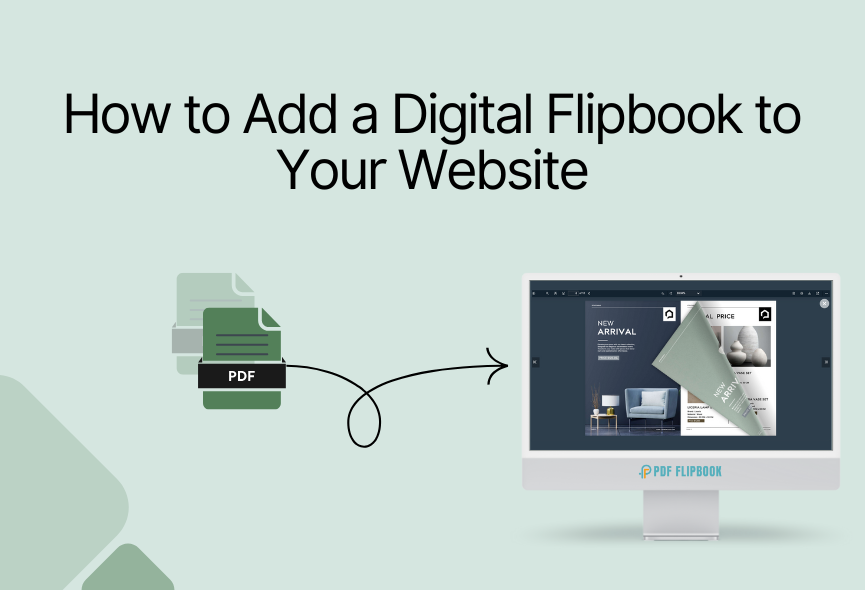
Your website photos are more important than you think. You need something that makes people stop and explore more. Imagine your website visitors using their computers, phones, or other devices to flip through your photos like a real book? That’s what a flipbook does. Creating a flipbook from photos is now more accessible than ever. I will show you how to turn your photos into cool flipbooks that make your website look amazing and keep people interested.
Flipbook ensures you can showcase your e-books, product catalogs, portfolios or any image-related content perfectly. It gives a professional and engaging solution for your website. Say goodbye to boring photos and make fun flipbooks for your website. In this blog, I will show some easy steps to create an online flipbook from photos for your website.
What Do You Need?
You need digital photos and an online flipbook platform. A website, if you intend to embed it; image editing software can also be helpful for photo preparation. Flipbook transforms any PDF and photos document into an actual book.
You can make a flipbook from photos quickly with a flipbook maker SaaS tool, and that is PDF FlipBook. The whole process is simple and time-consuming. It can be embedded on any website.
Preparing Photos For Optimal Flipbook Performance
The first step is to select the photos you want to use. These images will make up the pages in your flip book. Consider whether you want to tell a story, create a fun animation or simply display a sequence of images.
Before uploading your photos to an online flipbook maker, it’s essential to ensure they are in proper format. You can use online image editing tools like Canva, Pixlr or Adobe Spark to optimize your photos.
How to Create Online Flipbook From Photos
You can find any other online platform to create flipbooks from images. Here I will show you the process of creating flipbooks with PDF FlipBook.
- Sign Up – First, register on the website.
- Log In – After signing up, log in to your account.
- Go to the Dashboard – Once logged in, you will see the main dashboard.

- Create a Flipbook – Click on “Image to Flipbook.”
- Add Title – Add a title for your flipbook.
- Upload Your Images – Select and upload the images you want to turn into a flipbook.
- Settings – You will find the toolbar elements for your FlipBook settings. You can choose a theme, logo, favicon, custom color, and more for your flipbook.
- Publish – After completing all this, add a feature image and click Publish.
- Done – The website will automatically convert your images into a flipbook and you will receive an embed code.
There are many functionalities available for your flipbook. You can personalize your flipbook with your preferences.
Preview and Publish
It’s essential to ensure your flipbook works properly and looks as intended. Ensure any effects, image quality, and text readability. Check mobile device and cross-browser compatibility, then save your changes. This process ensures a perfect flipbook from photos for your website.
You will see all your flipbooks listed. You have to click COPY IFRAME CODE TO CLIPBOARD and the embed link will be copied. You can paste it wherever you want and your flipbook will be accessible from there. You will also get a share and tags option. Once your flipbook is complete, you can display it on your website.
Share Your Photo Flipbook
Final step is to share your flipbook with your visitors. You can share on social media platforms or link to your email newsletter. Embed it directly on your website or blog. You can export it as a downloadable PDF to share on any other platforms.
Check how many people see it. How long they spend on each page. Track link or button clicks. Find out what devices and browsers people use. Know where your visitors are coming from. By observing these you can improve the performance of your flipbook.
How to Present Your Photo Flipbook?
You have created a great photo flipbook. Now, how will you display it? You need to display it properly to your audience. PDF FlipBook has 3 different scrolling modes to perfectly display your photo flipbook.
FlipBook: You get a digital reading experience and page turning experience.
Vertical Scrolling: In this mode, visitors can freely scroll the PDF document smoothly from top to bottom.
Horizontal Scrolling: This mode is useful when you want a side-by-side view, providing a fresh and dynamic view that perfectly displays document types and content formats.
Tips for a Better Photo Flipbook
High-Quality Photos: Use clear and high-resolution images.
Consistent Design: Maintain a consistent design throughout your flipbook.
Fast Loading: Optimize your images to ensure fast loading times.
Mobile-Friendly: Test your flipbook on different devices to ensure it looks good on all screens.
Tell a Story: Arrange your photos in a way that tells a compelling story.
Test & Refine: Test your flipbook and make adjustments based on feedback.
Watch this video tutorial to get more information
Conclusion
You have now learned how to turn your plain photos into exciting flipbooks. You even made sure people can find it online and see it on their devices. Think about how much more interesting your website will be. Your visitors will love flipping through your photos like a real book, and they’ll stay on your site longer. You’ve made a big step in making your website look professional.
Don’t stop here, you can try different designs and see what your audience likes best. Share your flipbooks on social media and tell everyone about them. This way you have made your website better with your photo flipbook. So, make more flipbooks from photos and watch your website come to life.







0 Comments