


Do you want to give your website an elegant touch? Embedding flipbooks is a fantastic way to showcase your content in an interactive and visually appealing format. Whether you’re sharing a digital magazine, a product catalog, or a personal photo album, flipbooks can improve your website’s user experience and boost engagement.
Imagine a digital magazine that gives you the complete feel of a traditional print publication. Or picture a product catalog, allowing customers to flip pages and zoom in on virtually detailed images. These are just a few examples of how flipbooks can transform your website’s content. In this blog, I will show you how to embed flipbooks on any website easily. Now, let’s dive into the details.
Choose a Reliable Flipbook Creator
There are many online tools available that allow you to create stunning flipbooks from your PDFs or images. First, you need to choose a perfect platform to create a flipbook. The easiest way to embed a flipbook on your website is with an online flipbook. Whenever selecting a flipbook creator tool, consider its cost, features, user-friendliness, customer support, reviews, documentation, and video tutorials.
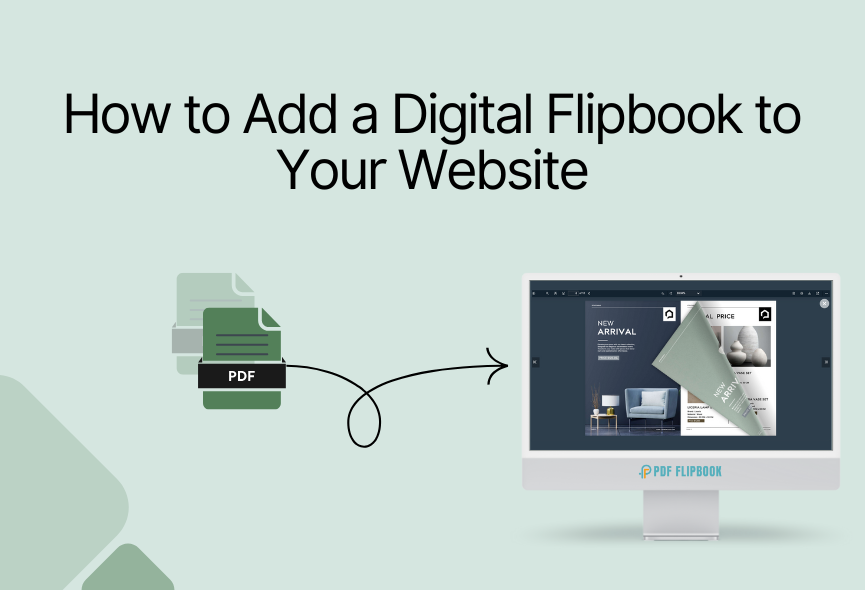
Our research shows that PDF FlipBook is the perfect online flipbook creator tool. Once you’ve created your flipbook, the platform will provide an embed code. Simply paste the embed code anywhere on your website, and it will show your flipbook perfectly.

Create and Embed Flipbooks on Your Website
To create an online flipbook, visit the website www.pdfflipbook.com, sign up for a subscription plan, and log in. You can take free, starter, basic, business, or enterprises. Each subscription has a flipbook creation limit. After completing your account, you will get your dashboard.

Go to the Create FlipBook tab and create your new flipbook here. To make a flipbook, first, you need to give a title for your flipbook. After that, you need to select your PDF file. Then, you need to attach a feature image for your flipbook, and you’re done. You will find the toolbar elements for your FlipBook settings. You can turn these settings on or off if you want.

You can choose a theme or custom color for your flipbook. There are six predefined themes for you. After that, you will get a logo and a favicon. You can upload your logo and favicon for your flipbook. You can also use the background image for your flipbook if you want. After creating a flipbook, you will see all the listed flipbooks. All you need to do is click on COPY IFRAME CODE TO CLIPBOARD, and the embed link will be copied. Then, you can paste it wherever you want, and your flipbook will be accessible from there.

Easily Customize Your Flipbook
PDF FlipBook gives you more control. Explore customization options to create more attractive flipbooks:
- Default Zoom: Various zoom levels are possible with PDF FlipBook. Select the one that suits your website
- Page Mode: You can select even or off as the page mode. It totally depends on your demand.
- Jump to Page: Put a number here and your PDF will start from that page.
- icon Size: You will get three different icon sizes. Choose the one you like.
- Toolbar Style: There are 4 positions where you can show your Toolbar.
- Viewer Language: PDF FlipBook offers you with more than one hundred languages for the FlipBook
- Toolbar Elements Visibility: You can turn all the elements on or off according to your need
- Appearance: The viewer has six pre-defined themes and you can create a viewer with your own custom color too.
You can watch our video tutorial and subscribe to our YouTube channel for more videos
Share Your Flipbook Easily
You can share your flipbook in several ways. Once you’ve uploaded your PDF, copy the embed code and paste it onto your website. Your visitors can then view the flipbook directly.
Embedding: You will see all your flipbooks listed after creating your flipbook with PDF FlipBook. Then, all you need to do is click on COPY IFRAME CODE TO CLIPBOARD, and the embed link will be copied. Then, you can paste it wherever you want, and your flipbook will be accessible from there.
Social Media Sharing: Promote your flipbook on social media platforms to reach a wider audience and encourage sharing.
Direct Link: Share a link to your flipbook with your audience through email or messaging apps.
Conclusion
With PDF FlipBook, you can easily customize the flipbook to match your brand and website content and embed it on your website. This user-friendly platform allows you to convert your PDFs or images into beautiful online flipbooks with just a few clicks.
Whether you are a content creator, marketer, educator, or business owner, flipbooks can help you present information perfectly. Flipbooks offer a powerful solution for businesses and individuals who want to engage their audience and share their content effectively.
Apart from this, If you want to read more blogs, visit here.







0 Comments