

Businesses are constantly looking for innovative ways to engage their customers and improve their online shopping experience. One such method is adding flipbooks to your Shopify store. Flipbook inspires customers to explore your Shopify store. It offers a dynamic way to showcase product catalogs, brochures, and other marketing materials. Flipbook can make your Shopify brand look better and more professional.
If you want to improve your Shopify store flipbook is a great option. The heart of a store is a perfect product presentation. Whether selling fashion apparel, electronics, or home goods, a flipbook can improve your product presentation. If you really want to highlight your Shopify store, you must add a flipbook.
Let’s learn how to embed a flipbook in your Shopify store.
Basics of Shopify Flipbook
Imagine turning your static product images into dynamic, page-turning catalogs. That’s exactly what a Shopify flipbook does. It’s like giving your customers a virtual product catalog they can interact with, just like a physical one. With a Shopify flipbook, you can easily transform your product images and PDFs into immersive digital experiences.
How to Find Flipbook Maker Shopify App?
A great flipbook app also ensures your flipbooks look great on mobile devices and integrates with your Shopify store. Choosing the perfect flipbook app for your Shopify store is crucial. The ideal flipbook app should be easy to use, so you don’t have to be a tech wizard to create the perfect flipbook.
When selecting a flipbook app, consider factors such as cost, features, ease of use, customer support, reviews, documentation, and video tutorials. Based on our research, TNC PDF FlipBook is an excellent choice for Shopify stores.

To get started, simply go to the Shopify app store, search for “TNC PDF FlipBook,” and install the app.
How to Create & Embed Flipbooks?
You can quickly create and embed flipbooks in your Shopify store with TNC PDF Flipbooks. You will find many subscription plans for this Shopify app. Install the TNC PDF Flipbook app on your Shopify store, it turns all your PDFs and images into flipbooks. Then you will get your dashboard. After that, your existing PDF links will be automatically converted to Flipbook. Then you will get an embed code.
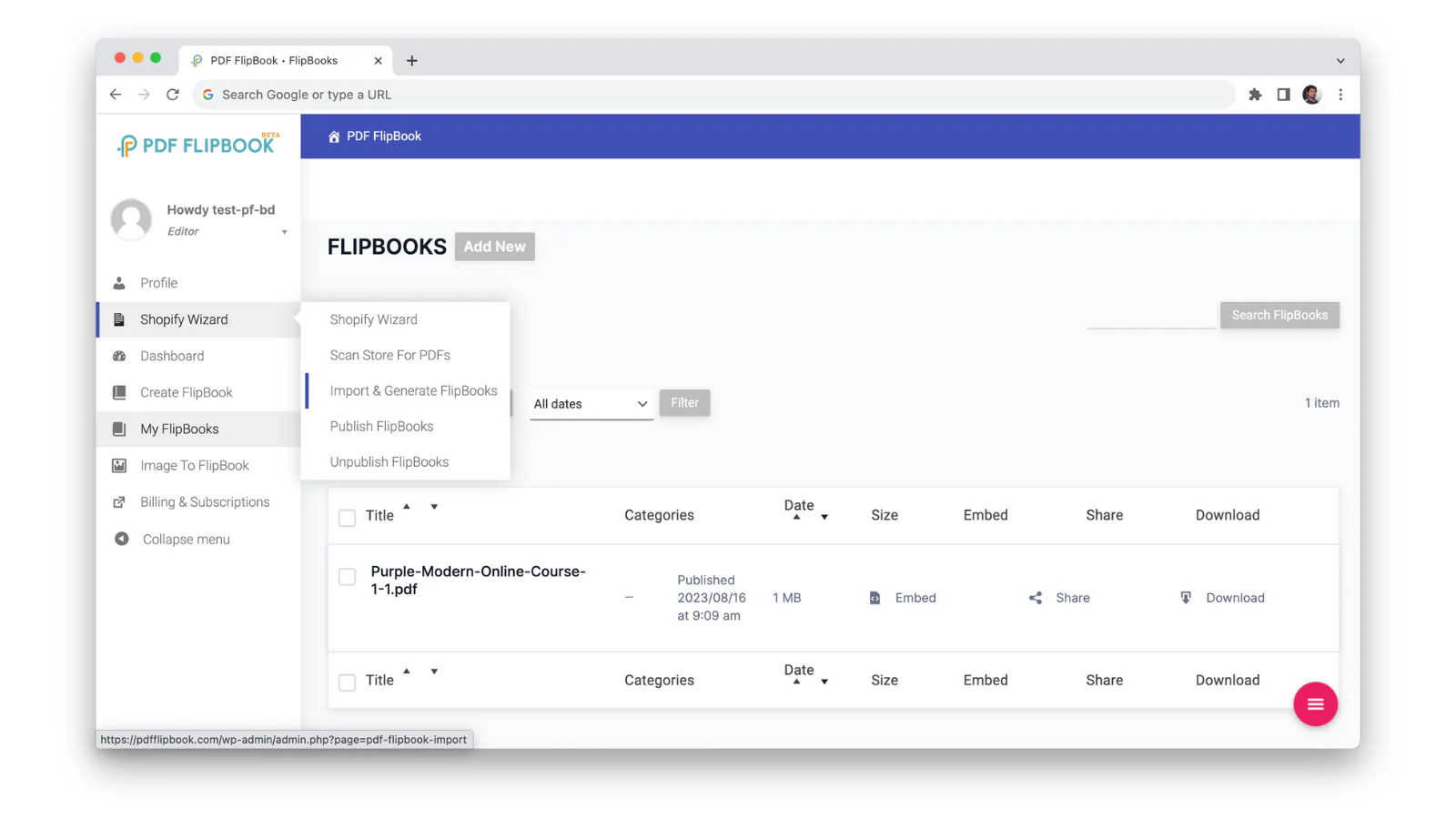
Apart from this, you can also turn images into flipbooks. Go to the Image to FlipBook tab, upload your images, and create a beautiful flipbook. You can edit your flipbook by choosing a background color, adding a cover page, and even including a title and description. This way you can easily create and embed Flipbooks in your Shopify store.
Flipbook Customization
You will find many customization options to showcase your flipbook with TNC PDF Flipbook. You can choose primary, secondary, and text colors to create a branded viewing experience. Another unique feature is creating visitors with custom background images. Turn on the ‘use background image’ option from the Appearance tab. After that, select the image you want to showcase as the viewer’s background.
You can also embed or show flipbooks as a popup or link. You also get six themes and three icon sizes to customize your flipbook. TNC PDF FlipBook supports a variety of PDF formats, including password-protected documents. Users can complete forms and follow links directly within the flipbook.
Why Does Your Shopify Store Need Flipbook?
Want to make your products more exciting for your customers? Use flipbooks! They’re like digital catalogs that let your customers flip through the pages of your products. It’s a fun way to show off your products and make them more interesting. You can create all sorts of flipbooks, like brochures, catalogs, and product guides.
These flipbooks look great and can be shared easily on your website, social media, and emails. Want to make your Shopify store look more professional and polished? Flipbooks can help! Whether they’re browsing on a computer, tablet, or phone, your flipbooks will look great. This can lead to happier customers and more sales.
Benefits of Shopify Flipbook
Flipbooks can be a great way to showcase your products in your Shopify store. They make your products look more fun and exciting for customers. Let’s find out how it improves your store:
- Improved Product Presentation
- Interactive Features
- Comprehensive View
- Clear Product Information
- Unique Selling Proposition
- Higher Conversion Rates
- Marketing Benefits
Conclusion
Embedding a flipbook into your Shopify store is the best way to showcase your Shopify store. By following the steps outlined in this guide, you can easily create interactive and engaging product catalogs, brochures, and more. You need to choose a user-friendly flipbook maker, customize your flipbook to match your brand style, and optimize it to be device-friendly.
With TNC PDF Flipbook, you can quickly create and embed flipbooks in your Shopify store and sell more products. After installing this app, you can convert your Shopify store PDFs and images into beautiful flipbooks in no time.
Apart from this, If you want to read more blogs, visit here.