

Embedding a flipbook in your Shopify store makes shopping more fun and exciting. Your engaging customers will learn more about your offerings. When a visitor comes to your Shopify store, they can flip through a beautiful digital book, just like a real magazine. This is a great way to showcase your products, lookbooks, or even how-to guides. A flipbook feels almost real. You can “flip” the pages with a click, just like a paper catalog.
A flipbook on your Shopify store will help you share content like clear product images, detailed features, lifestyle photos, and engaging stories. This experience is much better than scrolling through a simple PDF. This blog post will show you the simple steps to embed a PDF flipbook in your Shopify store.
How to Get a Perfect Shopify Flipbook App?
A great flipbook app also ensures your flipbooks look great on mobile devices and integrates with your Shopify store. Choosing a perfect flipbook app for your Shopify store is important. An ideal flipbook app should be user-friendly and include all important features.
When selecting a flipbook app, consider factors such as cost, features, ease of use, customer support, reviews, documentation, and video tutorials. Based on our research, TNC PDF FlipBook is an excellent choice for Shopify stores.

How to Embed a PDF Flipbook: Step-by-Step Guide
Choose Your Flipbook App Wisely
You will need a service that converts your PDF into an interactive flipbook. There are many options out there, both free and paid.
Prepare Your PDF
Before you convert, make sure your PDF is ready. High-resolution images, clear text, and a well-designed layout will make your flipbook perfect.
Convert Your PDF to a Flipbook
Upload your PDF to your chosen flipbook software. Follow their instructions to convert it. Most services will offer options to customize the flipbook’s appearance, such as background, page-turning sound, and branding.
Get the Embed Code
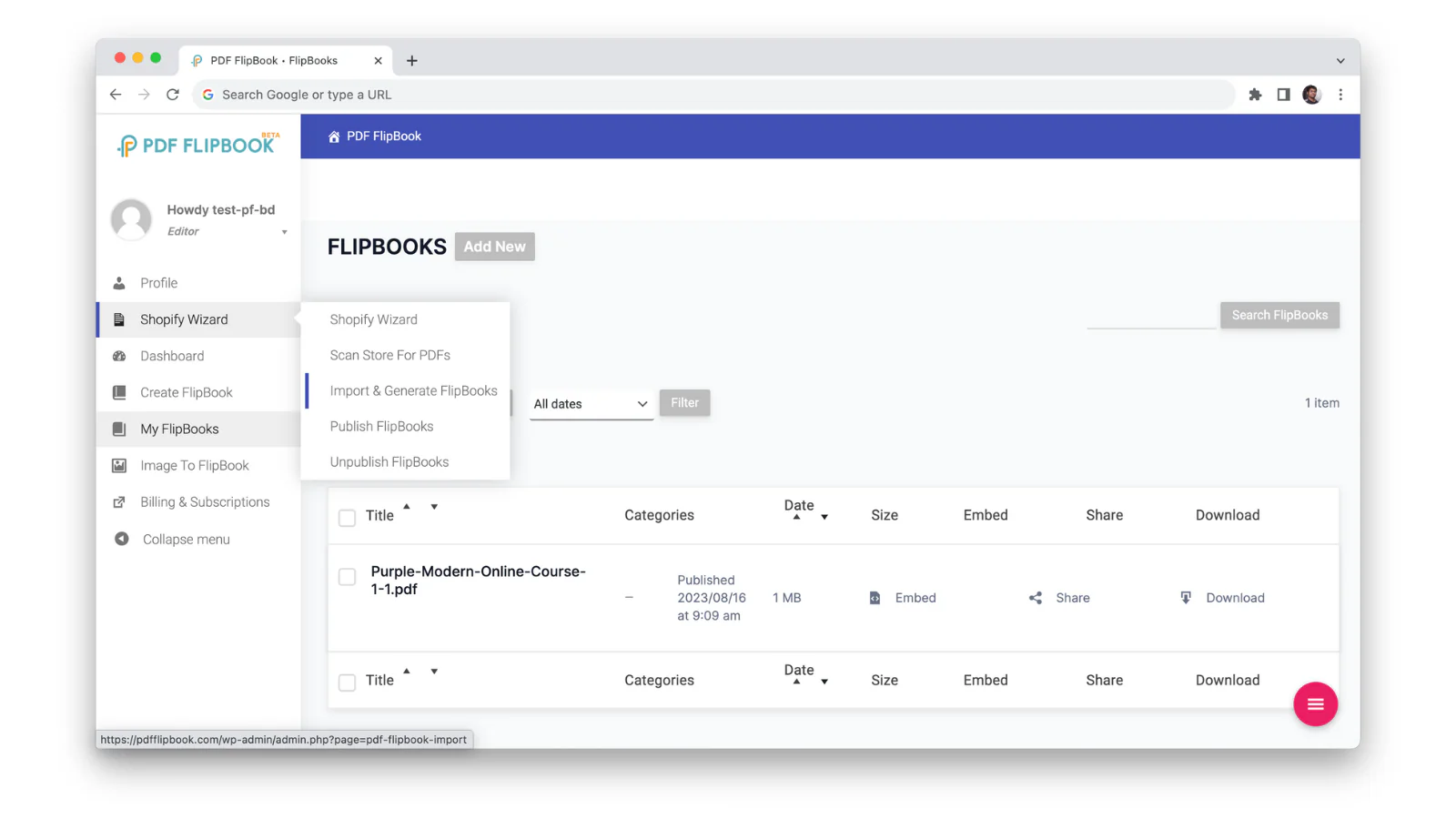
We suggest using the TNC PDF Flipbook app on your Shopify store. It turns all your PDFs and images into flipbooks. Then you will get your dashboard. After that, your existing PDF links will be automatically converted to Flipbook. After that, you will get an embed code.
Customize Your Flipbook
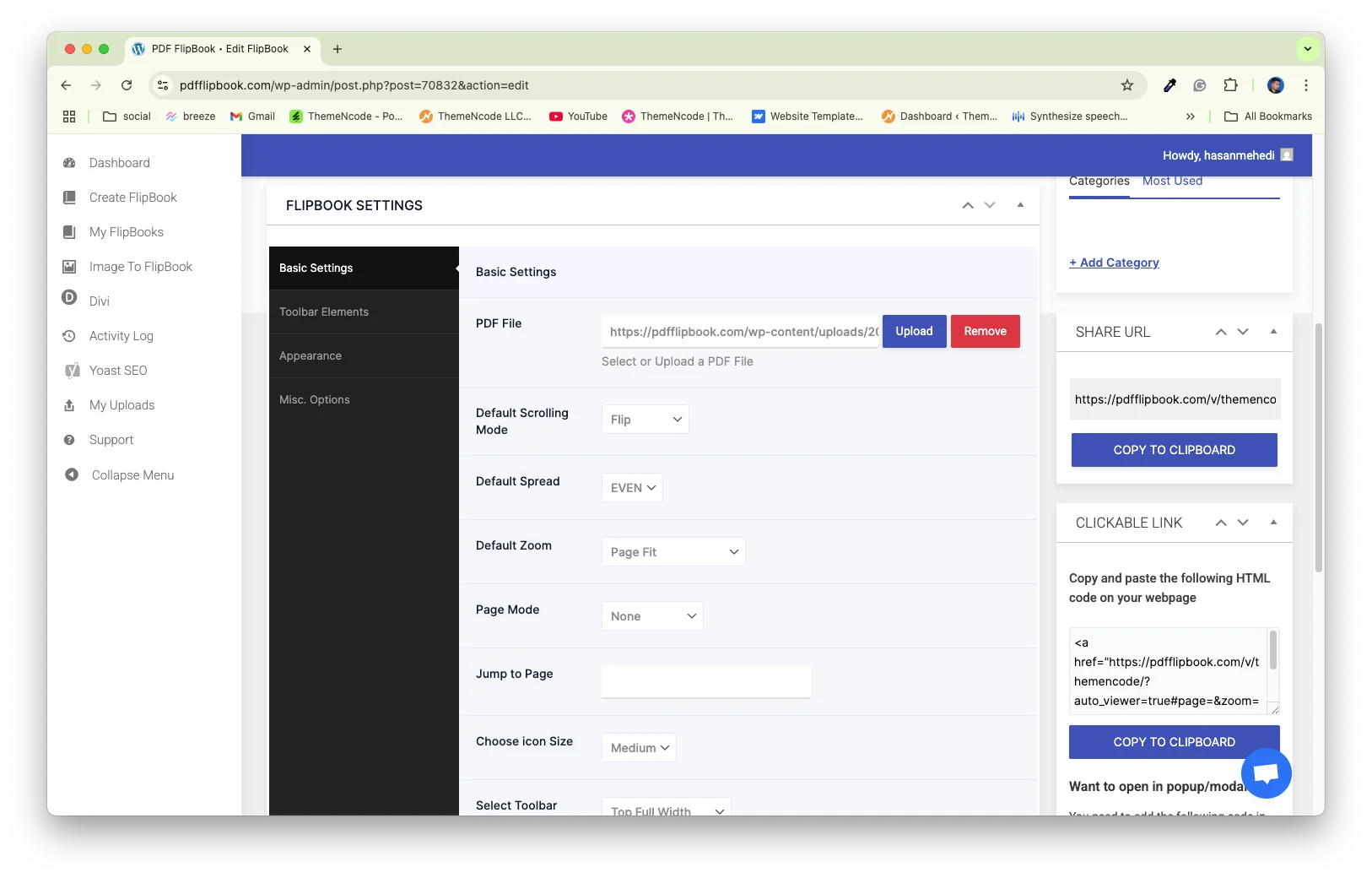
You can make your flipbook look exactly how you want with TNC PDF Flipbook. Pick your colors for backgrounds and text to match your brand. You can even add a custom image behind your flipbook for a unique touch.
Decide if your flipbook shows up directly on a page, as a pop-up, or as a simple link. You also get six different styles and three icon sizes to choose from. It works with all kinds of PDFs, even those with passwords, or ones where people can fill out forms and click links right inside the flipbook.
Main Features of TNC PDF FlipBook
Core Flipbook Functionality:
- PDF & Image to Flipbook Conversion: Easily turn your existing PDF files and even images into interactive flipbooks.
- Realistic Flip Animation: Provides a natural, page-turning experience with optional flip sound effects.
- Multiple Viewing Modes: Offers not just flipbook mode, but also vertical, horizontal, and wrapped scrolling options for PDF viewing.

Customization & Branding:
- Full Customization: Customize the flipbook’s appearance with your brand colors, custom backgrounds, and more.
- Toolbar Options: Control what features users see with options to show or hide elements like Download, Print, Share, Find, and Zoom.
- Toolbar Position & Icon Size: Adjust where the toolbar appears and the size of its icons.
- Multi-Language Support: Toolbar texts are available in over 100 languages.
Content & Integration:
- Embed Anywhere: Embed flipbooks directly into your Shopify store pages, product descriptions, or blog posts.
- Display Options: Show flipbooks as embedded content, popups, or direct links.
- Supports Special PDFs: Works with PDFs containing fillable forms, clickable links, bookmarks, and even password protection.
- Automated Conversion: It can automatically convert existing PDF links on your Shopify store into flipbooks.

User Experience Features:
- Zoom In/Out & Pan: Allows users to inspect details closely.
- Search Functionality: Users can search for specific text within the flipbook.
- Navigation Tools: Includes options to jump to the first/last page, rotate, and navigate through pages.
- Download, Print, Share: Provides convenient options for users to download, print, or share the flipbook.
Why Should You Use Flipbook on Your Shopify Store?
A flipbook makes your Shopify store more exciting. Customers can flip through products like a real magazine. This increases their interest, helps reduce returns, and ultimately leads to more sales for you.
- Amazing Product Showcase: Show off your products with beautiful images and clear details that grab attention.
- Interactive Fun: Customers can zoom in, pan, and explore every part, making it feel like a real book.
- Complete Product View: Give customers a perfect look at your products. Product details are easy to read and understand.
- Marketing Benefits: You can create brochures, catalogs, and product guides, which are shareable on websites, social media, and email campaigns.
- Build Your Brand: Create a strong, memorable brand identity through unique presentations.
- Tell Your Story: Share engaging brand and product stories that connect with customers.
- Share Anywhere: Easily share your flipbooks on social media, email and other websites.
- Works on Any Device: Customers can view your flipbooks perfectly on phones, tablets, or computers.
Where to Embed in Shopify?
You have several great options for embedding your flipbook in Shopify:
Product Pages: Showcase a detailed product catalog or user manual.
About Us Page: Share your brand story or company portfolio.
Dedicated Lookbook Page: Create a stunning fashion lookbook.
Blog Post: Embed a seasonal catalog or special collection.
Conclusion
Adding a PDF flipbook to your Shopify store is a brilliant move. It instantly transforms your product displays into an exciting, interactive experience. It will create a more professional brand value for your Shopify store. Flipbooks offer a dynamic way to showcase your products.
Customers can literally “flip” through your catalogs and stories. This simple change helps them truly connect with your brand and products. So, don’t wait! Make your digital content pop and turn your Shopify store into a place customers love to visit.
Apart from this, If you want to read more blogs, visit here.