


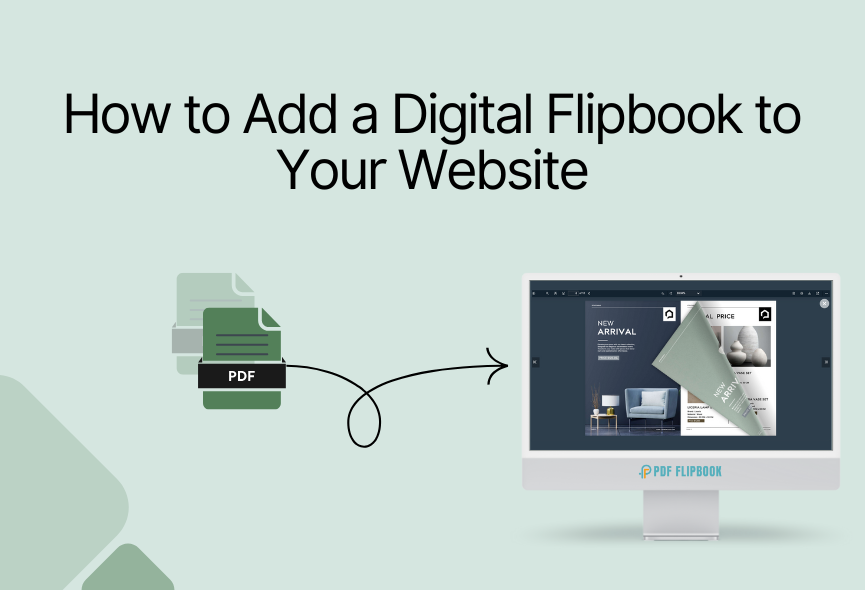
If you want to give your website an interactive look, embedding digital flipbooks is an easy and effective way to showcase your content beautifully. Whether you’re sharing a product catalog, a digital magazine, or a compelling story, Flipbooks provides an engaging experience for your audience. Such digital publications can be easily distributed through various platforms or websites.
Nowadays, most people prefer flipbooks, which are similar to traditional publications but with many more valuable features. By embedding a digital flipbook on your website, you can enhance your brand image, improve user engagement, and drive conversions. Embedding a digital flipbook on your website can provide many benefits. There are many platforms available that allow you to create beautiful flipbooks.
This guide will show some easy steps for embedding a digital flipbook on your website. Let’s dive into the details.
Amazing Benefits of Digital Flipbook
Digital flipbooks offer too many benefits that can improve your business, marketing efforts, and overall user experience. Let’s explore some of the amazing advantages of digital flipbooks:

- Professional Presentation: Digital flipbooks offer a professional and polished presentation of your content, helping to improve your brand’s image.
- Environmental Benefits: By reducing paper consumption, digital flipbooks contribute to a more eco-friendly approach to content distribution.
- Social Sharing: Flipbooks can be easily shared on social media platforms, allowing your content to reach a wider audience.
- Mobile-Friendly: Digital flipbooks are easily accessible on mobile devices. This allows your audience to enjoy your content on the go.
- Interactive Elements: Digital flipbooks can include various interactive elements that make them more engaging.
- Customization: Users can customize their reading experience by zooming in, zooming out, or navigating through the content of their choice.
- Marketing Benefits: Digital flipbooks can be used effectively for marketing purposes. You can create brochures, catalogs, and product guides, which are shareable on websites, social media, and email campaigns.
The Best Platform For Creating Digital Flipbooks
The first step is selecting a reputable flipbook creation platform with embedding capabilities. The easiest way to embed a digital flipbook on your website is with an online flipbook. Many options are available online. Whenever selecting a digital flipbook creator platform, consider its cost, features, user-friendliness, customer support, reviews, and documentation.
Our research shows that PDF FlipBook is the perfect digital flipbook online creator. Once you’ve created your flipbook, the platform will provide an embed code. Simply paste the embed code anywhere on your website, and it will show your flipbook perfectly.

Create & Embed Digital Flipbooks on Your Website
Visit the website www.pdfflipbook.com and sign up for a subscription plan. You can take free, starter, basic, business, or enterprises. Each subscription has a flipbook creation limit. After completing your account, you will get your dashboard.

To make a flipbook, you need to give a title. After that, you need to select your PDF file. Then, you need to attach a feature image for your flipbook, and you’re done. You will find the toolbar elements for your FlipBook settings. You can choose a theme or custom color for your flipbook. There are six predefined themes for you. You can also upload your logo and favicon for your flipbook and use a background image. After creating a digital flipbook, you will see all the listed flipbooks.

Share Your Digital Flipbook Easily
You can easily share your digital flipbooks. Once you’ve uploaded your PDF, copy the embed code and paste it onto your website. Your visitors can then view the flipbook directly.
Embedding: You will see all your flipbooks listed after creating your flipbook with PDF FlipBook. Then, all you need to do is click on COPY IFRAME CODE TO CLIPBOARD, and the embed link will be copied. Then, you can paste it wherever you want, and your flipbook will be accessible from there.

Social Media Sharing: Promoting your digital flipbook on social media is a great way to promote your content and reach a wider audience.
Direct Link: Share a link to your flipbook with your audience through email or messaging apps.
Customize Your Digital Flipbook
PDF FlipBook offers all the customizable options that make your flipbook more attractive. Let’s look at some of the best options:
- Default Zoom: Various zoom levels are possible with PDF FlipBook. Select the one that suits your website
- Page Mode: You can select even or off as the page mode. It depends on your demand.
- Jump to Page: Put a number here, and your PDF will start on that page.
- Icon Size: You will get three different icon sizes. Choose the one you like.
- Toolbar Style: There are four positions where you can show your Toolbar.
- Viewer Language: PDF FlipBook offers you with more than one hundred languages for the FlipBook
- Toolbar Elements Visibility: You can turn all the elements on or off according to your need
- Appearance: The viewer has six pre-defined themes, and you can create a viewer with your custom color too.
Conclusion
Uploading a flipbook to your website ensures an increased interactive experience for your readers, visual appeal, versatility, and accessibility. Thanks to unique digital flipbook animation and the best online services on the flipbook platform, like the web-based PDF FlipBook. You can transform your PDF and images into a fantastic digital flipbook with a perfect page-flipping effect.
Simply customize the flipbook to match your brand and website content and embed it on your website. PDF FlipBook allows you to convert your PDFs or images into beautiful digital flipbooks with just a few clicks. Digital flipbooks offer a powerful solution for businesses and individuals who want to engage their visitors. Whether showcasing products, sharing a magazine, or presenting a portfolio, PDF FlipBook adds professionalism to your content.
Apart from this, If you want to read more blogs, visit here.







0 Comments