


Flipbooks provide several practical benefits for your Shopify store. Firstly, they improve user experience. Visitors can easily zoom in, zoom out, and even rotate images to get a better look at your products. Secondly, Flipbooks can significantly boost conversions. Research has shown that interactive content can increase customer engagement and purchase rates. Finally, this can help you create a more professional and polished brand image. This nature of flipbook showcases an engaging and personalized shopping experience.
Flipbook can inspire customers to explore and purchase your shopify products by providing a more enjoyable browsing experience. Your Shopify store showcases your products, so you must showcase them perfectly. This will help you increase customer satisfaction and sales and highlight your shopify store. Whether you want to make your product catalog attractive, improve your brochure, or enrich any document in your Shopify store, flipbook is the perfect solution. Now, Let’s dive into the details.
How to Create Flipbook For Shopify Store?
First, choose a perfect flipbook creation tool for the shopify store. There are many options available. Whenever selecting a Flipbook app for your Shopify store, consider its cost, features, user-friendliness, customer support, reviews, documentation, and video tutorials. According to our research, TNC PDF FlipBook is the perfect flipbook app for Shopify stores. This app is available in the Shopify App Store.

You need to integrate TNC PDF Flipbook app in your Shopify store to turn all your PDFs and images into flipbooks. You will find many plans for this Shopify app. After selecting the plan of your choice, you will get your dashboard. After that, your existing PDF links will be automatically converted to Flipbook.
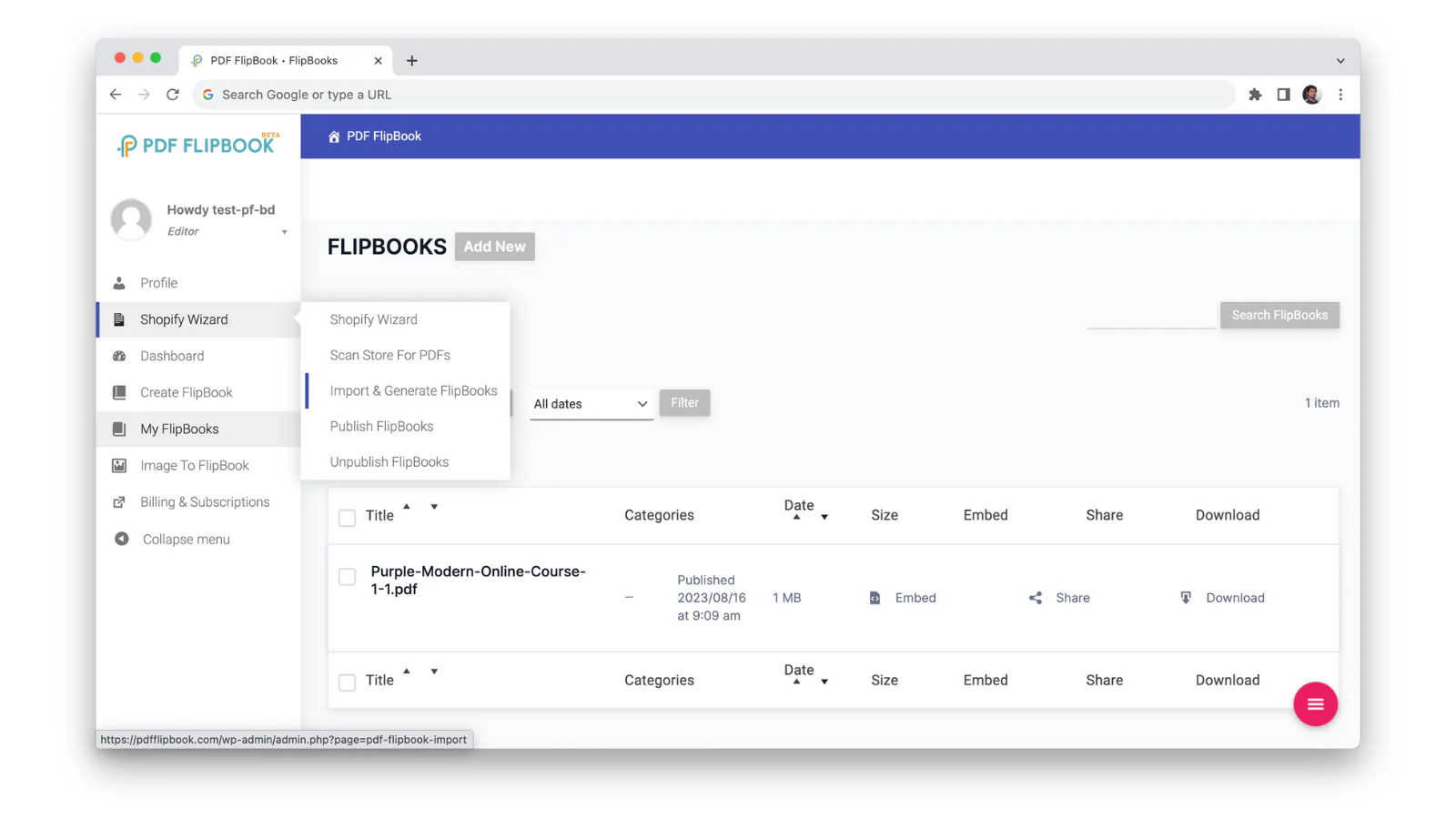
You can also easily convert images into a flipbook for your store. To do this, go to the Image to Flipbook tab. After that, upload and select the photos you want to showcase and make a beautiful flipbook with them. You can personalize your flipbook according to your preferences. You can choose the background color, add a cover page, and even include a title and description.
Showcase Your Flipbook in Different Ways
TNC PDF Flipbook has three different modes. You can display your content in various ways. Let’s explore now:
FlipBook Mode: In Flipbook mode, you will get a digital reading experience and a flip-through sensation like the pages of an actual book. It completely bridges the gap between the traditional and digital worlds.

Vertical Scrolling Mode: Visitors can smoothly scroll through the PDF document from top to bottom. This user-friendly option offers seamless flow, making it ideal for those seeking a comprehensive view of document contents.
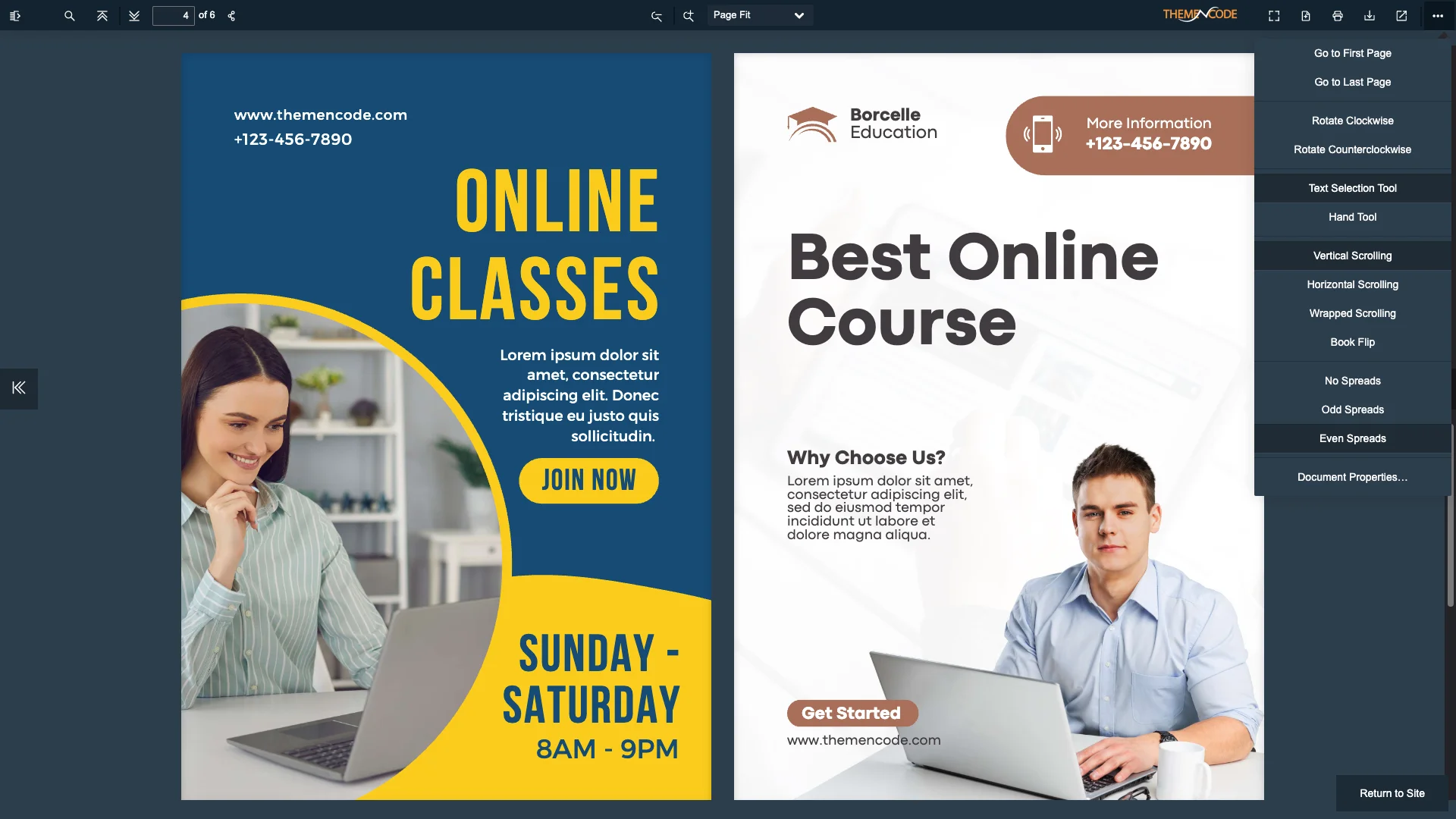
Horizontal Scrolling Mode: This mode allows the PDF file to be scrolled from left to right. This feature provides a new and dynamic view and is convenient for side-by-side viewing.

How Do Flipbooks Increase Sales in Shopify Stores?
Let’s see how Flipbook increases Sales and highlight Shopify Store:
- Immersive Interaction: Flipbooks allow customers to interact with products in a way impossible with static images. They can zoom in, zoom out, and rotate products to understand their details and dimensions better.
- Improved Product Visualization: Flipbooks help customers better visualize how they might look and feel in real life by providing a more realistic view of products.
- Impressive Storytelling: Flipbooks can be used to tell a story about your brand or products. This can help create a stronger connection with customers.
- Professionalism: Flipbooks can help create a more professional and polished brand value for your Shopify store.
- Higher Average Order Values: Customers more engaged with your products are more likely to purchase multiple or higher-priced items.
- Marketing Benefits: You can create brochures, catalogs, product guides, and more, making them visually appealing and shareable on websites, social media, and email campaigns.
- Better SEO: Customers who spend more time on your website are more likely to convert. Flipbooks can help increase dwell time and improve your search engine rankings.
- Lead Captures: Your visitors will enjoy flipping through your flipbooks, which can lead to higher conversion rates and increased sales.
How to Make Your Shopify Store PDFs More Attractive and Functional?
Customize Flipbook to Highlight Your Shopify Store
If you use TNC PDF FlipBook for your Shopify store, you will get many customization options. You can choose from various primary, secondary, and text colors to create a branded viewing experience. Another unique feature is creating visitors with custom background images. Turn on the ‘use background image’ option from the Appearance tab. After that, select the image you want to display as the viewer’s background.
You can also embed or show flipbooks as a popup or link. You also get six different theme colors to customize your flipbook. Let’s look at all these: Midnight Calm, Material Blue, Lewis Purple, Sea Green, Aqua White, & Smart Red. Apart from this, you get three different icon sizes: small, medium, and large.
TNC PDF FlipBook supports a variety of PDF formats, including password-protected documents. It saves interactive elements like forms and clickable links inside PDF files. Users can complete forms and follow links directly within the flipbook.
Watch this video tutorial and subscribe to our official YouTube channel for more videos
Conclusion
Flipbooks offer a dynamic way to showcase your products and attract your customers. Each flipbook is an opportunity to showcase your brand and connect with your audience. Whether you want to showcase a product catalog, refresh a brochure, or highlight any document, TNC PDF FlipBook helps Shopify store owners create a perfect flipbook.
Convert static images or PDF files into interactive flipbooks, and you can create more immersive shopping experiences that drive sales and build brand loyalty. After installing this app on your Shopify store, you can create engaging flipbooks that will add value to your Shopify store.
Apart from this, If you want to read more blogs, visit here.







0 Comments